This illustrated walkthrough takes a Windows x64 Tauri application from its local project folder to a release submitted to Montju. Keep the Tauri toolchain installed and use a project whose build scripts you trust.
1. Create the project and manifest
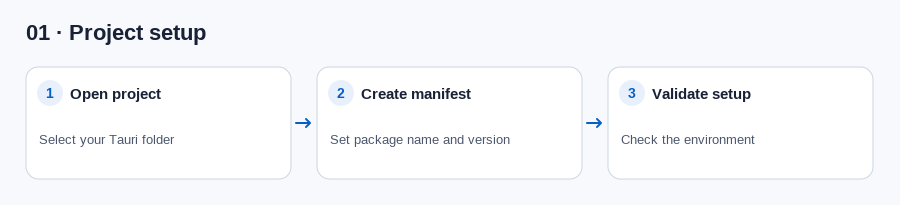
- Create or prepare your Tauri project folder with your development toolchain.
- Open Acruz Developer Studio and choose Open project. Select the project folder.
- If the folder has no
acruz.yml, choose Create manifest. Enter the application name, package name and version, then save. The manifest defines the package identity for an existing project. - Use Validate setup and Environment health. If Studio proposes changes to agent setup, review them before choosing Prepare.
2. Build, sign and package the installer
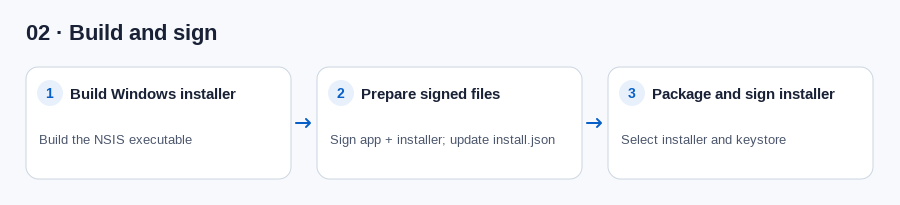
- Open Build. Confirm you trust the project and its build scripts. Enable Build in release mode, choose Build Windows installer, then check the output.
- Build the per-user NSIS installer and prepare
install.jsonfor the exact executable shipped inside it. Windows Authenticode signing is optional and is never required by the store. See Build your first package. - In Montju, register the public Ed25519 key or use Studio’s Keystores section to create a Montju keystore. Keep the private signing file and passphrase local.
- Select Package and sign installer, choose the signed NSIS installer and the signing file, then keep the verified v2
.acbthat Studio creates.
3. Upload to Montju and submit for review
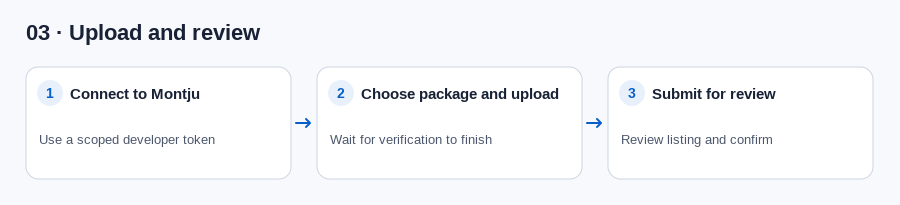
- In the Montju developer console, register the application using the same package name and complete the store listing and privacy details. Create a scoped developer token.
- In Studio, open Montju Store, paste the token and choose Connect to Montju. Check the application and signing key, then choose Choose package and upload and select the verified
.acb. - Use Refresh status and wait for the release to become ready. Read the declaration and select Submit for review. Follow approval, feedback and publication in Recent releases.
The store lists the release after owner approval and publication. The release guide covers a retry after an interrupted upload.